
Start tracking
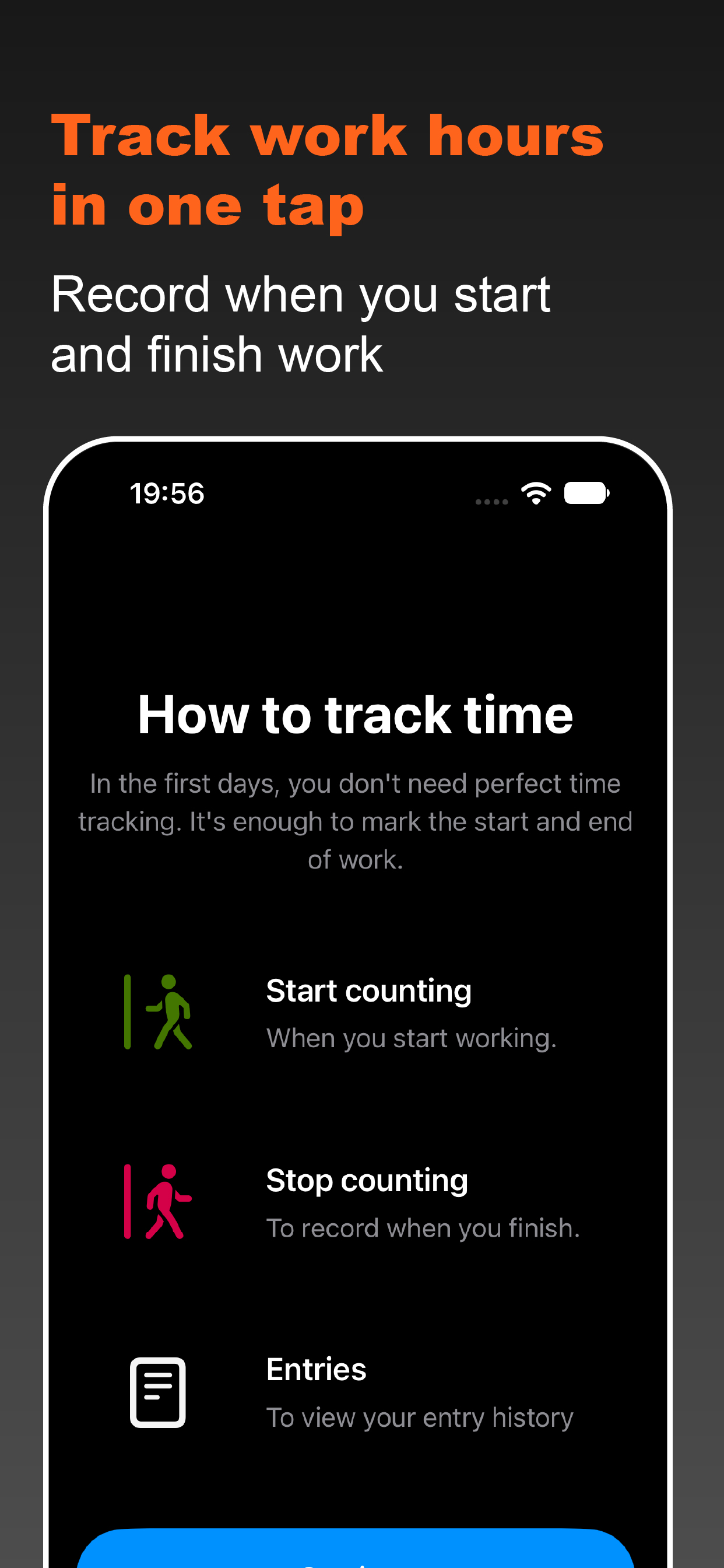
Tap the button when you start work.
Free. No ads. No subscription.
Track your work hours in 2 taps: record when you start and finish work, see your hours worked, and compare them with your employer’s calculations when needed.
Download on the App Store ↘Wh: WorkHours
01
Start. Finish.
Your hours.
Wh: WorkHours helps you record when you start and finish work, see your hours worked, and keep a clear history of your own.
Free. No ads. No subscription.
Nothing extra between you and your hours.
When it helps
If your pay depends on hours worked, it helps to keep your own records. Wh: WorkHours keeps a clear history: when you started work, when you finished, and how long you worked.
The app is useful if you work by the hour, have a flexible schedule, care for others, juggle multiple jobs, or simply want to compare your own records with your employer’s calculations.
Three simple actions
Tap the button when you start work.
Tap again when work is done.
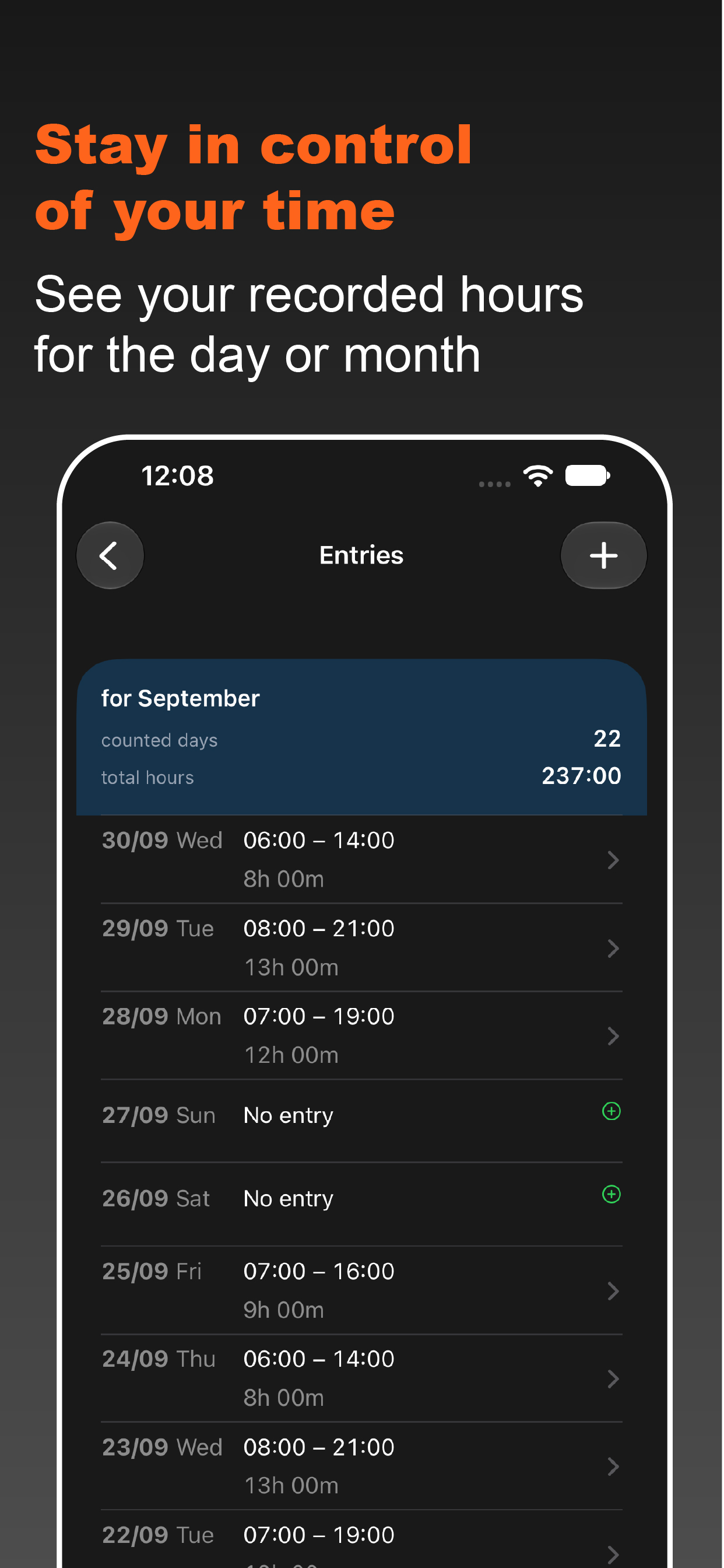
Open your history to see hours by day or month.
What it does
One clear task: record your work hours without complicated spreadsheets or extra steps.
Record the beginning and end of work with one tap.
View entries, the number of days tracked, and total hours for the month.
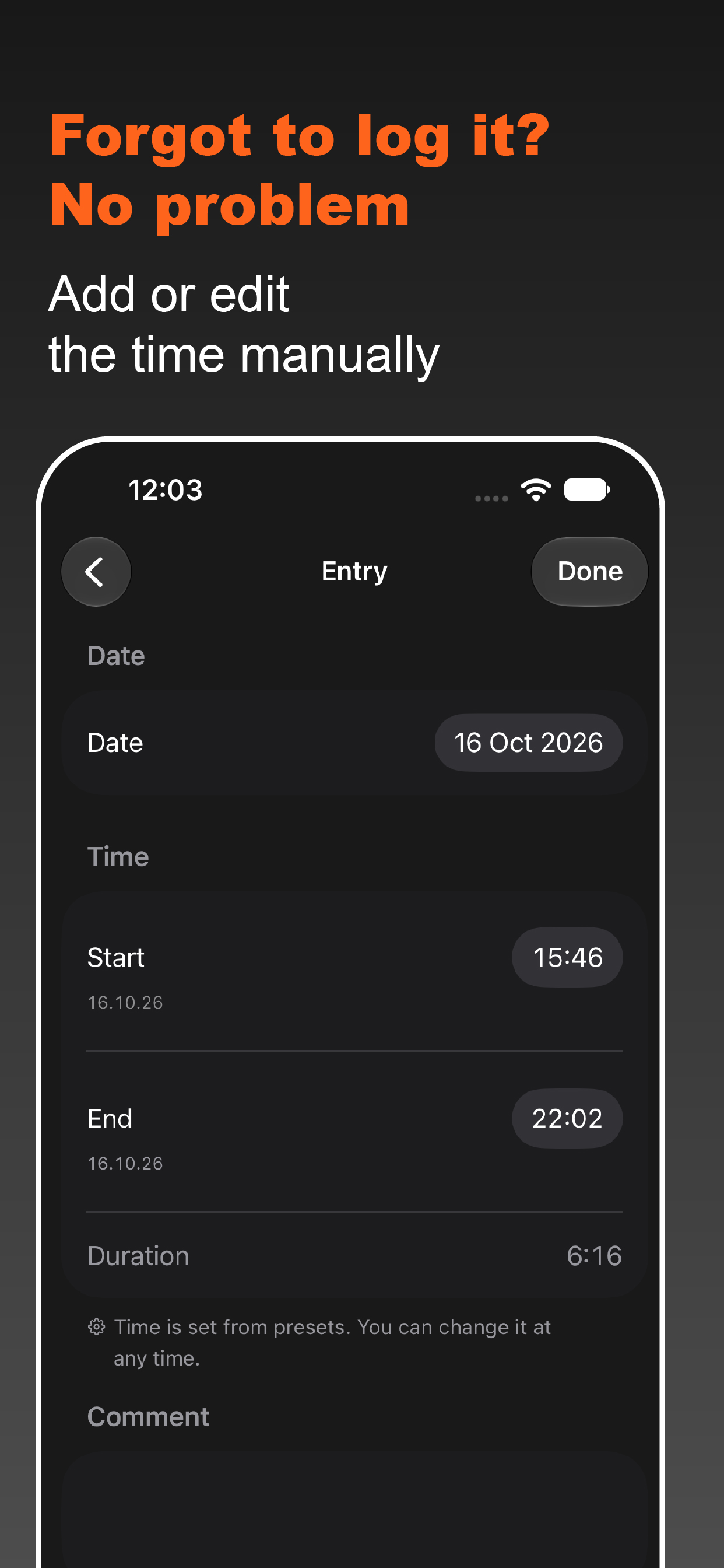
Add an entry if you forgot to start tracking, and adjust the time when needed.
Set a usual start time and duration to fill in automatically.
Choose a calm colour scheme that feels comfortable every day.
Your work hours history is stored only on your iPhone.
Privacy
Wh: WorkHours does not create an account or send your work hours history to a server. Entries are stored locally on your device; history is available for the most recent 360 days.
No ads, subscriptions, mandatory registration, or complicated spreadsheets. Open the app, record your time, and get back to work.
Learn more in the Privacy Policy ↘FAQ
No. WorkHours is free and has no advertising or subscription.
No. You can start tracking right after installation.
On your device. The app does not use an account to store your history.
Yes. You can add an entry in the records section and adjust its time when needed.
The current free version does not include report export. You can open your history and check your hours worked in the app.
Your entry history is available for the most recent 360 days.
Documents
Your records — on your device. Wh: WorkHours does not create an account or send your work hours history to a server.
Entries are stored locally on your device; history is available for the most recent 360 days.
The terms of use cover the purpose of Wh: WorkHours, data storage, user responsibilities, and use of the app.
If you need help, want to report a problem, or share feedback about Wh: WorkHours, please contact us by email. Visit the support page for contact details and what to include in your message.
Learn more on the support page ↗Record your hours, keep your history, and compare calculations calmly, without extra steps.
 Download Wh: WorkHours on the App Store

